How previews work
When your agent makes an ad or a channel message, it stages the creative in one or more of the frames on this page: a paid social placement, or a WhatsApp or SMS thread. Each frame sets the aspect ratio, shows where the platform cuts the copy off, and knows which areas the platform's own interface covers. An email card previews the same way at full size, as the complete HTML your reader receives.
The frame only changes how you review the work. What ships is the media and the copy, unchanged. The sizes and copy limits come from each platform's ad specs and guide the preview: a creative in the wrong shape still saves, and shows letterboxed so you can spot it. Your agent writes the full copy, and the frame shows where it clips.
Every frame below stages the same sample campaign: The Lean Paper Airplane, the featured staff pick at P&P Bookstore, our demo brand. Ask your agent for a frame by the name on its tile.
On my "Summer sale" board in Plainpaper, make the summer reading creative as a vertical video staged in Instagram Reels. Keep text and logos clear of the areas Instagram's interface covers, and use a placeholder for the video until we have the cut.

Email campaign
HTMLA complete, ready-to-send marketing email. Your agent writes the full HTML, and it previews exactly as the recipient gets it, in a sandboxed frame.
- Fields
- Subject, preheader, from name, reply-to
- Body
- The email itself, as HTML, with images as
asset://references
Meta
Meta delivers four placements across Facebook and Instagram.

Facebook Feed
1:1The standard in-feed Facebook post: square creative with the copy above it and a headline and CTA bar beneath.
- Upload
- 1080px on the short side
- Shapes
- Single image, video, carousel

Instagram Feed
1:1The in-feed Instagram post: square creative, caption beneath, CTA bar under the media.
- Upload
- 1080×1080 (4:5 also runs)
- Shapes
- Single image, video, carousel

Instagram Stories
9:16Full-screen vertical between stories. Keep text and logos clear of the top header and the bottom CTA sheet.
- Upload
- 1080×1920
- Shapes
- Single image, video, vertical video

Instagram Reels
9:16Full-screen vertical in the Reels feed, as a video or a static image. The bottom third is covered by the caption, the CTA and the music ticker.
- Upload
- 1080×1920
- Shapes
- Single image, video, vertical video
TikTok

TikTok In-Feed
9:16Full-screen vertical video in the For You feed. The action rail on the right and the CTA, caption and music stack at the bottom cover the edges.
- Upload
- 1080×1920 (at least 540×960)
- Shapes
- Video, vertical video
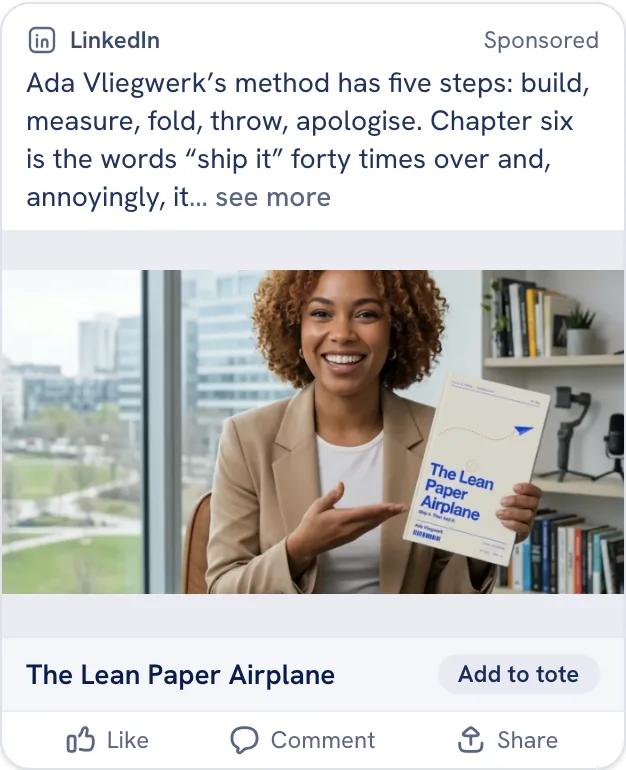
LinkedIn Feed
1.91:1The in-feed LinkedIn post: landscape creative with a headline bar beneath, and more visible intro copy than Meta shows.
- Upload
- At least 1200px wide
- Shapes
- Single image, video, carousel
Two Pin formats, both with the title beneath the creative.

Pinterest Standard Pin
2:3The classic 2:3 Pin: tall creative with the title beneath it. The description only shows on the closeup.
- Upload
- 1000×1500
- Shapes
- Single image, carousel

Pinterest Video Pin
9:16A full-height vertical video Pin, with the same title-beneath layout as a standard Pin in a taller frame.
- Upload
- 1080p or higher
- Shapes
- Video, vertical video
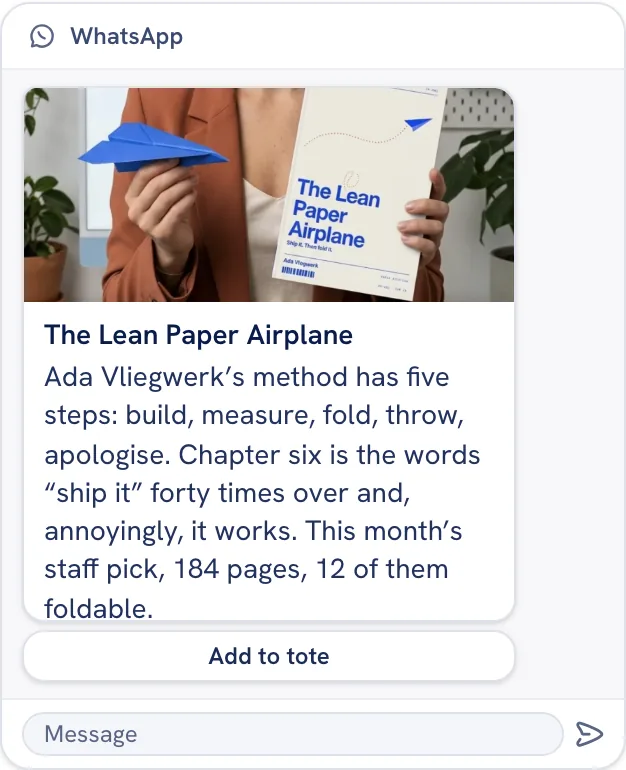
WhatsApp Message
1.91:1A WhatsApp Business template message to opted-in subscribers. It can open with media or a bold header of up to 60 characters above the body, and the call to action sits as a tappable button beneath the bubble.
- Upload
- 800×418 header image
- Shapes
- Message
SMS

SMS Message
1:1A plain text message on the recipient's phone. Copy past 160 characters still delivers, but bills as extra segments. SMS has no headline. A call to action shows as a tappable link in the text, and an attached image sends as MMS.
- Upload
- 1080×1080 for MMS (carriers cap files around 1MB)
- Shapes
- Message
Related
- Deliverables: the creative shapes and the email card these frames preview.
- Create ad creative: brief, draft, stage and approve a creative, step by step.
- Draft email campaigns: the email card from brief to handoff.
- AI image tools for marketing visuals: where the media inside a frame comes from.