Strategy and creative on one canvas
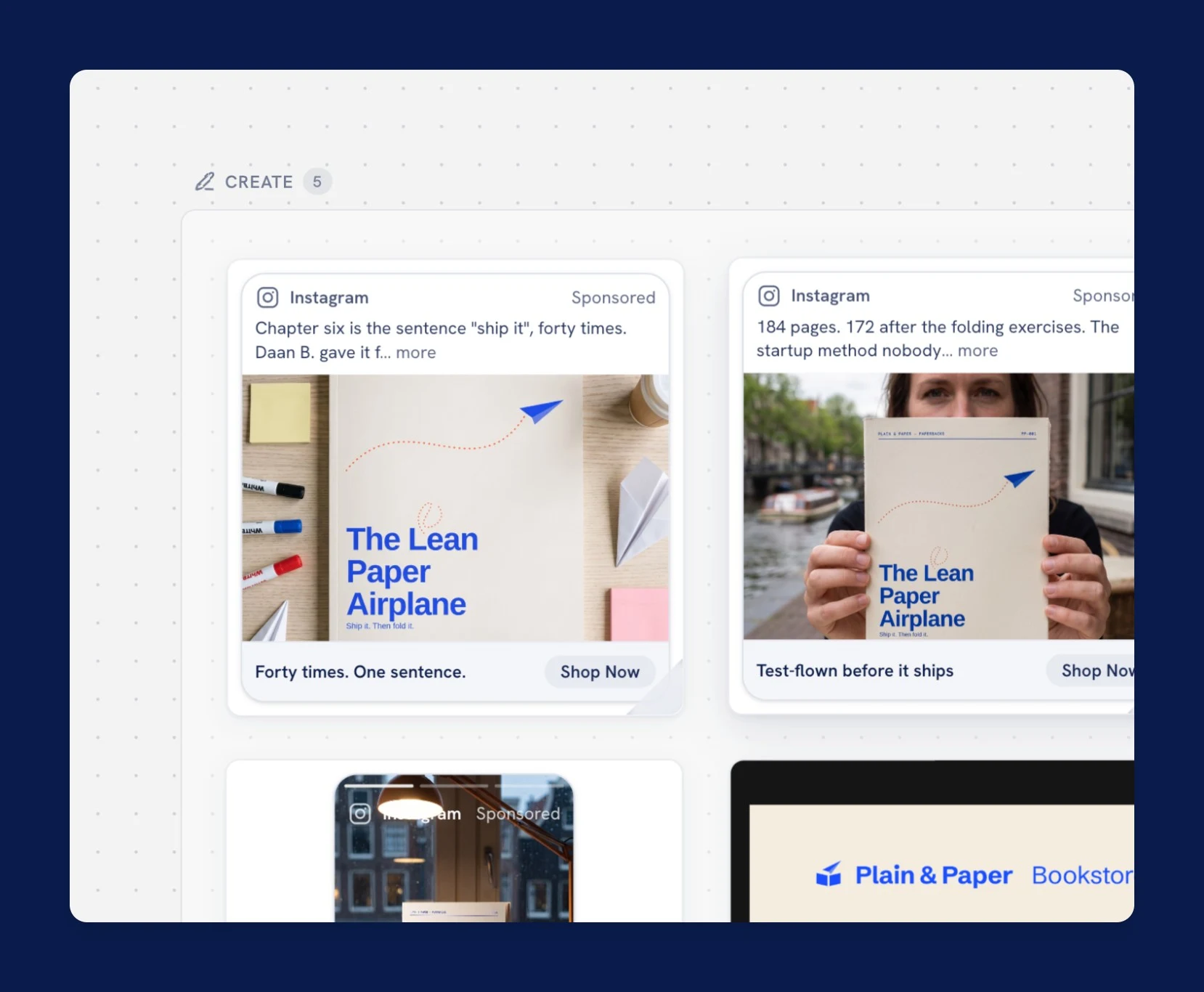
Text cards hold the thinking: briefs, audiences, insights, plans. Preview cards hold the output: flip one and see the actual email or ad, rendered the way it will run.
See it workPlainpaper is a shared canvas where your AI agent drafts a marketing campaign as cards on a board you steer and approve. It works with Claude, ChatGPT and any other client that speaks MCP, the open standard agents use to reach their tools.
Two boards free, forever. No card needed.

Close the tab. Come back next week. The canvas remembers, and so does the agent, because it reads the board back. And the board does more than remember: it briefs your agent on your process, your deliverables, and your voice.
Text cards hold the thinking: briefs, audiences, insights, plans. Preview cards hold the output: flip one and see the actual email or ad, rendered the way it will run.
See it workConnect Claude, ChatGPT, Cowork, or any MCP client. Your agent writes cards while you chat, and Plainpaper never wraps, resells, or proxies a model.
See it workEmails and ad creatives land as finished, uploadable assets. Review each one next to the audience and insight that shaped it. Nothing ships until you approve.
See it workCampaign process, deliverable structure, channel instructions: the board hands your agent expertise you don't need to have yourself, so the output is specific and shippable instead of generic.
See it workWork-in-progress and production-ready content side by side: HTML emails, images, video, and ad creative. On approval, your agent pulls the asset and ships it through the destination's own tools.
See it workSet your tone, brand rules, and the "Prevent AI language" preset once. The agent applies them before it writes a word, so the copy reads like you.
See it workGrab a proven playbook, with phases, starter cards, and agent guidance already in place. Or open a blank board and shape it your own way. Either way, the board is both your desktop and your agent's guide.
 Premium
BFCM: The Backwards Plan
The ten-week countdown to Black Friday: list cleanup at T-10 weeks, the offer's floor and the cut list decided early, all five touches approved a month out, so the loud week only presses send.
Premium
BFCM: The Backwards Plan
The ten-week countdown to Black Friday: list cleanup at T-10 weeks, the offer's floor and the cut list decided early, all five touches approved a month out, so the loud week only presses send.
 BFCM sprint
A compressed Black Friday board: decide the offer and the cut list early, then run a five-touch sequence you have already written.
BFCM sprint
A compressed Black Friday board: decide the offer and the cut list early, then run a five-touch sequence you have already written.
 Premium
AI search visibility
Freeze a set of buyer questions, record how each AI engine answers them today, fix what keeps you out of the answers, and re-run the same audit monthly to prove movement.
Premium
AI search visibility
Freeze a set of buyer questions, record how each AI engine answers them today, fix what keeps you out of the answers, and re-run the same audit monthly to prove movement.
 Content calendar
Decide the month once: 3-5 pillars with jobs, a plan that assigns every slot, and posts written and approved before the month starts.
Content calendar
Decide the month once: 3-5 pillars with jobs, a plan that assigns every slot, and posts written and approved before the month starts.
 Giveaway list-builder
Run a giveaway where the prize does the targeting, every email is written before launch, non-winners convert within 48 hours, and the list is pruned before it ever touches your main audience.
Giveaway list-builder
Run a giveaway where the prize does the targeting, every email is written before launch, non-winners convert within 48 hours, and the list is pruned before it ever touches your main audience.
 Positioning sprint
Walk April Dunford's positioning components in order, from real alternatives to a messaging hierarchy every other board can consume.
Positioning sprint
Walk April Dunford's positioning components in order, from real alternatives to a messaging hierarchy every other board can consume.
 Product launch
Take one new product from positioning and proof to a dated launch sequence, then measure whether the launch actually landed.
Product launch
Take one new product from positioning and proof to a dated launch sequence, then measure whether the launch actually landed.
 Welcome series
Map what each signup was actually promised, sequence five beats that keep that promise, and measure the flow against your list baseline instead of against zero.
Welcome series
Map what each signup was actually promised, sequence five beats that keep that promise, and measure the flow against your list baseline instead of against zero.
 Ecommerce campaign
The end-to-end campaign board: brief, audience, strategy, the emails and creative themselves, then results measured back against the goal.
Ecommerce campaign
The end-to-end campaign board: brief, audience, strategy, the emails and creative themselves, then results measured back against the goal.
 Competitor analysis
Let buyers define the competitive set, mine what rivals' customers actually say, and turn it into dated, living battlecards instead of a deck nobody reopens.
Competitor analysis
Let buyers define the competitive set, mine what rivals' customers actually say, and turn it into dated, living battlecards instead of a deck nobody reopens.
 Content repurposing
Mine one strong pillar piece for its atomic ideas, re-express each in every platform's native grammar, and learn which kinds of ideas travel.
Content repurposing
Mine one strong pillar piece for its atomic ideas, re-express each in every platform's native grammar, and learn which kinds of ideas travel.
 Paid social test-and-learn
Run paid social as a series of decided experiments: one hypothesis per test, variants that differ on one axis, and a rule for calling it written before the spend starts.
Paid social test-and-learn
Run paid social as a series of decided experiments: one hypothesis per test, variants that differ on one axis, and a rule for calling it written before the spend starts.
 Post-purchase flow
Mine order data for the patterns that predict a second order, pick the right moment for each, and sell again without teaching full-price buyers to wait for discounts.
Post-purchase flow
Mine order data for the patterns that predict a second order, pick the right moment for each, and sell again without teaching full-price buyers to wait for discounts.
 Quiz funnel
Design a quiz where every question changes the recommendation, every result bucket gets its own flow, and the answers people volunteered actually shape what they receive.
Quiz funnel
Design a quiz where every question changes the recommendation, every result bucket gets its own flow, and the answers people volunteered actually shape what they receive.
 Winback & retention
Work out why customers actually lapse, segment by that reason rather than by days since order, and send a sequence per reason.
Winback & retention
Work out why customers actually lapse, segment by that reason rather than by days since order, and send a sequence per reason.
Built for your stack



Claude reads your Shopify catalog and customer data, drafts Klaviyo flows and campaigns, and lands every send on the board for your approval.
Read the workflow

Plan, write, and schedule Brevo email campaigns with an AI agent. Every draft lands on the board for approval before a single message sends.
Read the workflow

Design automations and lifecycle journeys with Claude over ActiveCampaign's MCP connector, all mapped, reviewed, and approved on a visual board.
Read the workflow

Turn a one-line brief into a finished Mailchimp campaign. Claude drafts subject lines, copy, and segments; you approve, then it schedules the send.
Read the workflow

Brief, generate, and approve Meta ad creative on one board. Then pull spend results back to the audience that drove them, ready for the next round.
Read the workflow

Claude designs on-brand email graphics in Canva, writes the copy, and assembles the Mailchimp campaign. Every visual and send is approved on the board first.
Read the workflowNew to running campaigns with an agent? Read the complete Claude marketing workflow guide →
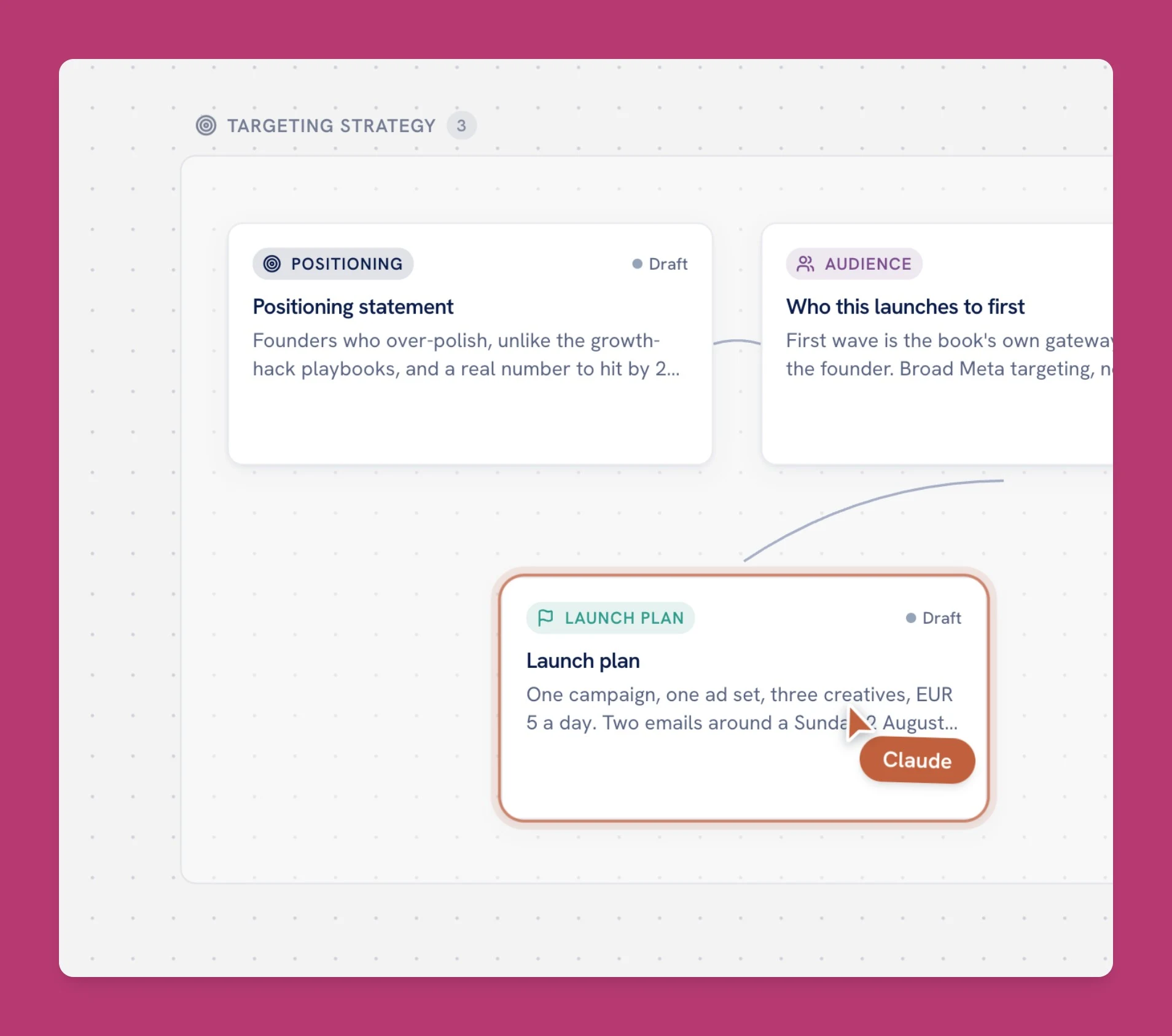
Talk to your agent the way you already do, and let the board do the guiding. You watch the cursor move and cards appear in real time, typed, connected, and there to stay.
Campaign assets usually scatter across an ESP, an ads manager, and a shared drive. On Plainpaper every email, ad, image, and video sits on one board: the whole campaign in a single look. Approve what's ready, and your agent publishes through each destination's own tools.
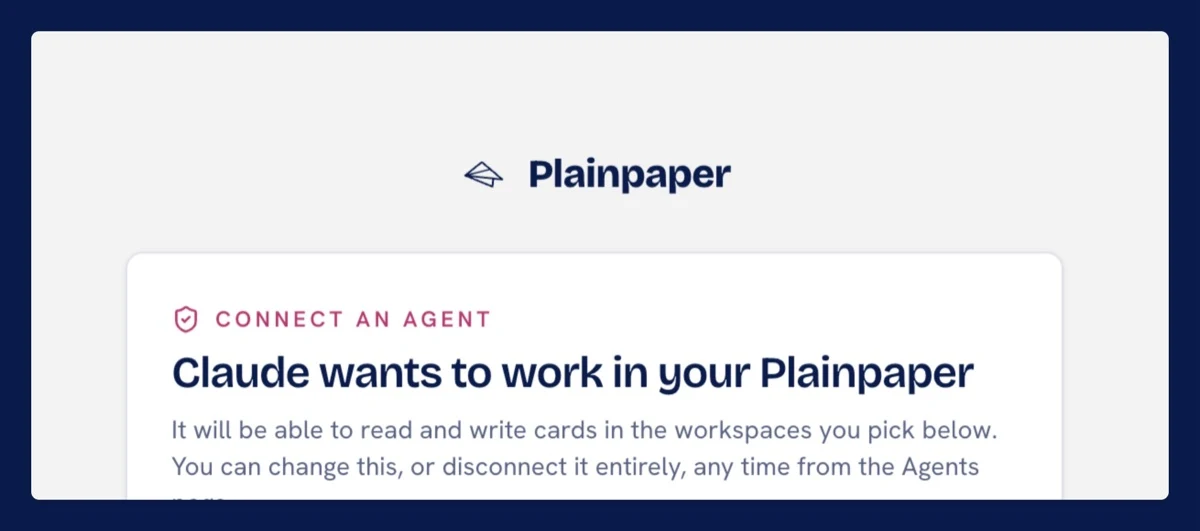
On claude.ai, Plainpaper is a connector you sign into with OAuth. In Claude Desktop, Claude Code, ChatGPT, or Cowork, you mint a workspace token and paste it in. No install either way: one URL, two minutes.
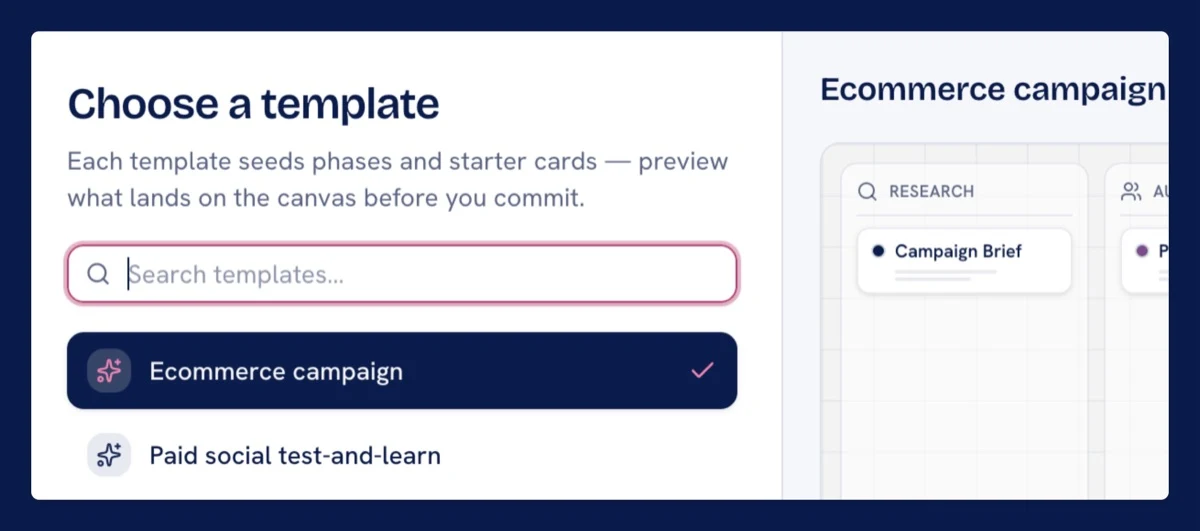
Start a board from a playbook and tell your agent what you're running. Research, audiences, emails, and creative land as typed cards in real time.
Browse the playbooks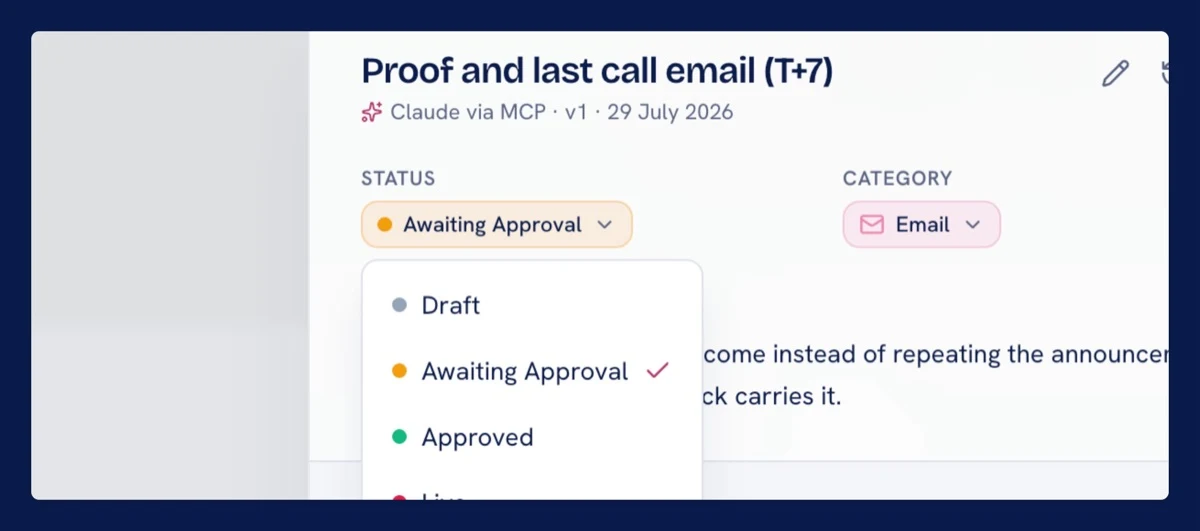
Every channel's creative lands as a finished asset: HTML emails, Meta ads, social visuals. Review them side by side, approve, and your agent ships each one through your own tools.
Discover suggested toolsWhiteboards like Miro stop at the idea. Plainpaper carries the same board from rough prototype to finished emails, ads, and creative you can drop straight into your channels, no rebuild in another tool.
Every account starts on the free plan, no card and no clock. Every paid plan includes every feature; the tiers differ in how many workspaces, people, and boards they cover, nothing else.
For building a real campaign with your agent, end to end.
No credit card, no expiry. Everything that's free.
For the solo marketer running their own campaigns.
Start on the free plan; upgrade in the app when you're ready.
For a small team, or one workspace per client.
Start on the free plan; upgrade in the app when you're ready.
For agencies and teams running many campaigns at once.
Start on the free plan; upgrade in the app when you're ready.
On every plan, the free one included: full agent access over MCP, unlimited cards, version history, approvals with full card lineage, all deliverable types, asset storage, and revocable read-only board share links.
Prices exclude VAT; tax is added at checkout based on your location. Pay in EUR, USD, or GBP.
Need more workspaces or users than Business covers? Talk to us and we'll put a license together to fit.
Plainpaper is the shared, persistent workspace for AI-driven marketing. It's the canvas where your AI agent builds a campaign (research, audiences, insights, plans, emails, creative, results) as structured, typed cards on one infinite board. The agent does the heavy lifting while you steer, edit, and approve. It lives outside the chat, so it stays readable and never scrolls away.
No. Plainpaper is not an AI provider. You bring your own agent via MCP: Claude Desktop, Claude Code, Cowork, ChatGPT, or any other MCP-compatible client. The model leads the work, and Plainpaper is the durable workspace those chats write into.
A board is both a working desktop and a proven playbook. Start one from a playbook and its phases, its card types, starter cards, and the guidance your agent reads are all already in place. Thirteen official playbooks are live, from Ecommerce campaign and Product launch to Welcome series, Winback and retention, Quiz funnel, Competitor analysis and Content calendar, each with the phases that fit that job. Your agent follows the methodology step by step while you watch it fill in. Playbooks by the community unlock with a code, and you can save your own board as a private template.
Yes. Social ads are a first-class card type in four formats: single image, video, carousel, and vertical video. You review copy and creative in the shape they'll actually run, with placement previews, and approve them with the audience and insight that shaped them right there on the board. Images and video live alongside HTML email campaigns, drafts and production-ready assets side by side.
It doesn't, directly. Your tools connect to the agent through their own native MCP servers or APIs. Plainpaper is the context and memory layer, not the integration layer, and it never holds your credentials. When your agent pushes an approved email or ad, it calls that platform itself, and Plainpaper is where the asset and the rationale live.
On the board. Your agent writes results and figures back as Result cards, linked to the plan and assets they measured. The board doubles as a flexible dashboard during and after a campaign, and those numbers become the research that fuels your next board, on the same canvas or a fresh one.
Not if you don't want it to. Your workspace has a guidelines library the agent must apply before writing anything: tone of voice, brand colors, logo files, do/don't rules, and a "Prevent AI language" preset with toggles that cut the em-dash-and-hype tells. Set it once and every board that opts in gets copy that reads like you.
Your work is structured data, not a proprietary blob: card bodies are plain markdown or HTML, and connections are typed links. Your agent can read every card and asset out over MCP today, so nothing is locked in. A one-click workspace export is on the roadmap. No goodbye tax, ever.
Yes. Every account starts on the free plan: 1 workspace, 2 active boards, and the starter playbooks, no credit card and no clock. That's enough to build a real campaign end to end. Paid plans add your team, more boards, all the tools, premium and community playbooks, and saving boards as playbooks. Everything on the free plan, in detail.
For the canvas itself, no. It's drag, click, and type. To connect your agent via MCP, you do a one-time setup in Claude Desktop, Cowork, or your client of choice that's about as involved as adding a browser extension. We'll walk you through it in the connect your agent guide.
More questions? Read the Plainpaper docs, browse the playbook library, or see which marketing tools your agent can drive.
Start for free. Connect your agent, pick a playbook, and end the session with a living, approvable board instead of a chat thread that scrolls away.
Start for freeAlready have an account? Log in